Thermaltake 3.9 LCD Screen Kit Black | 128x480 TFT-LCD Panel
SKU: thermaltake-3-9-lcd-screen-kit-ac-073-oo1nan-a1
₹8,087.00
In Stock
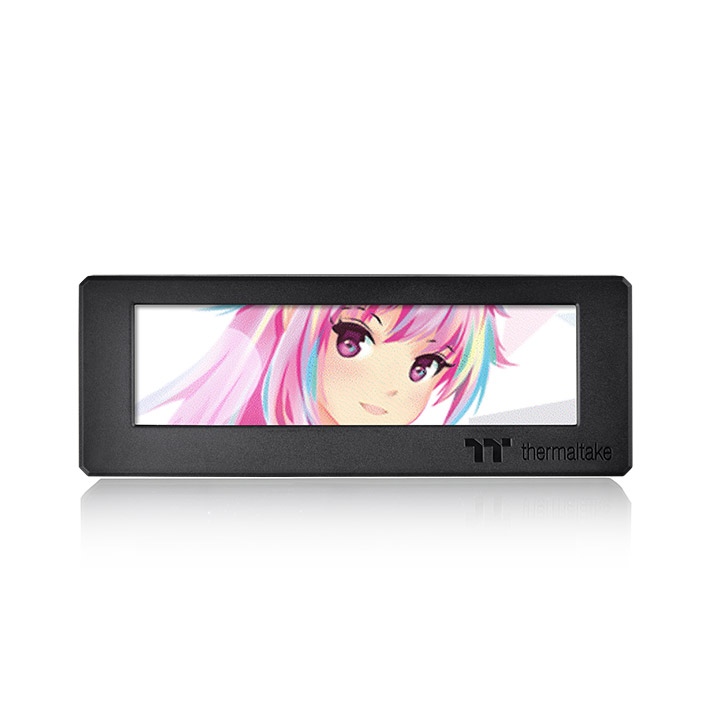
Transform your PC chassis into a personalized digital showcase with the Thermaltake 3.9" LCD Screen Kit. Designed as a seamless expansion accessory for compatible Thermaltake cases-including the Ceres and The Tower series-this vibrant TFT-LCD panel delivers crisp 128x480 resolution. Driven by the intuitive TT RGB Plus 2.0 software, it allows you to monitor critical system metrics like CPU/GPU temperatures and frequencies in real time. Beyond basic performance tracking, you can fully customize the display by uploading your own JPG images, animated GIFs, or live weather and time widgets.
Description
Thermaltake 3.9 LCD Screen Kit Black | 128x480 TFT-LCD Panel
- Bring Your PC Case to Life: The days of static desktop builds are over. The Thermaltake 3.9" LCD Screen Kit is engineered for enthusiasts who want to add a functional, highly personalized digital element directly to their chassis. Instead of relying on a secondary desktop monitor to check system temps, this panel integrates that data flawlessly right into the body of your PC.
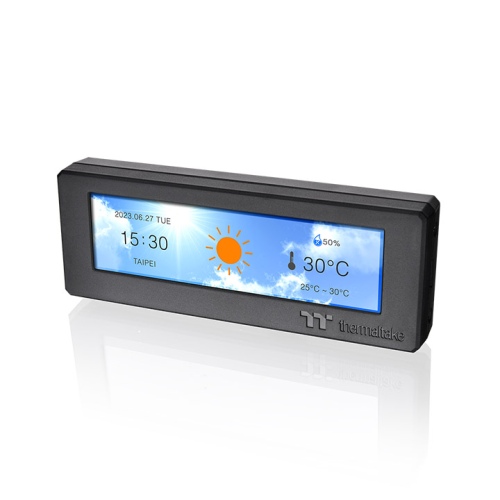
- Total Customization and System Monitoring: Powered by the TT RGB Plus 2.0 software ecosystem, this 3.9-inch TFT-LCD display gives you absolute control over what is shown. Hardware enthusiasts can set up detailed, real-time telemetry screens to monitor CPU and GPU frequencies, temperatures, and loads. If aesthetics are your priority, the software supports uploads of JPGs and animated GIFs (up to 20MB), allowing you to display memes, custom logos, or matching themes. You can even toggle widgets to display your local time and live weather updates.
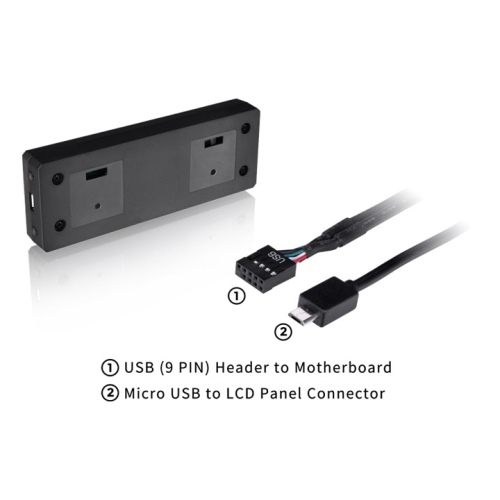
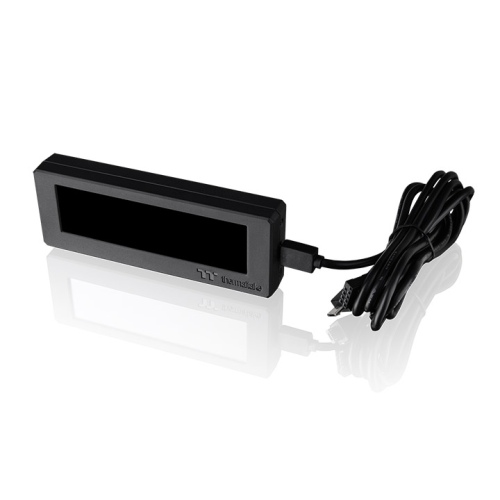
- Seamless Integration and Expansion: This specific screen kit (AC-073-OO1NAN-A1) is crafted to integrate perfectly into supported Thermaltake cases like the Ceres 330 or The Tower 300 series. Installation is remarkably straightforward: the screen mounts directly to the chassis panel, and a single Micro USB to 9-pin internal USB cable connects it to your motherboard. Furthermore, it easily synchronizes with other Thermaltake Ultra series components, allowing you to create a unified, multi-screen light show across all your internal hardware.
Key Features
- Vibrant 3.9" TFT-LCD Display: Offers a bright, clear 128x480 RGB resolution for sharp text and smooth animations.
- Real-Time Hardware Monitoring: Keep a constant eye on your system's critical temperatures, loads, and clock speeds.
- Custom Media Uploads: Personalize your rig by uploading your own static images or animated GIFs via software.
- TT RGB Plus 2.0 Integration: Easily sync the screen with other compatible Thermaltake RGB and LCD components for a unified look.
- Simple Internal Connection: Powered and controlled through a single 9-pin internal USB 2.0 motherboard header.
Specifications of Thermaltake 3.9 LCD Screen Kit Black | 128x480 TFT-LCD Panel
| Feature | Specification |
| Model Number | AC-073-OO1NAN-A1 |
| Display Size | 3.9 Inches |
| Panel Type | TFT-LCD |
| Resolution | 128 x 480 (RGB) px |
| Rated Voltage | 5V |
| Power Input | 14W |
| Interface | Micro USB to USB (9-Pin Internal Header) |
| Software Support | TT RGB Plus 2.0 |
| OS Compatibility | Windows 10 / Windows 11 |
| Dimensions | 18 x 44 x 120.5 mm |
Who It's For
- Thermaltake Case Owners: Specifically designed for users building in compatible chassis like The Tower 300 or Ceres 330.
- PC Modders and Aesthetic Builders: Enthusiasts who want a highly personalized, animated centerpiece inside their glass-panel PC.
- Overclockers and Power Users: Gamers who need to keep a strict eye on their thermal performance without cluttering their main gaming monitors with software overlays.
Frequently Asked Questions
- Will this screen fit in any PC case? While you could technically connect it to any motherboard with a 9-pin USB header, the physical mounting brackets and dimensions of this kit are explicitly engineered to fit perfectly into specific Thermaltake cases, such as the Ceres 330 and The Tower 300.
- Do I need an HDMI or DisplayPort cable for this screen? No. This LCD kit does not act as a traditional secondary monitor for Windows. It receives both its power and its display data entirely through the included internal USB 9-pin cable via the TT RGB Plus 2.0 software.
- Can I play videos on this screen? You cannot play standard video formats like MP4 or MKV directly. However, you can convert short video clips into animated GIF files (up to 20MB in size) and upload them through the software to loop continuously on the screen.
- Is this compatible with third-party RGB software? No. To upload GIFs, change widgets, or monitor system temps, you must have the proprietary Thermaltake TT RGB Plus 2.0 software installed and running in the background on Windows 10 or 11.